
Picora: Cartoon Photo Editor
Gorba AppsPhotography
4.634.00 Reviews
- Version
- 3.7.0
- Installs
- 10.00K
- Age Rating
- Teen
Screenshots
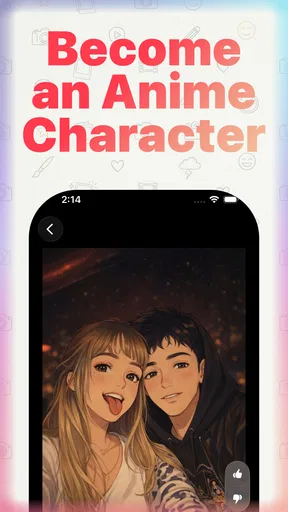
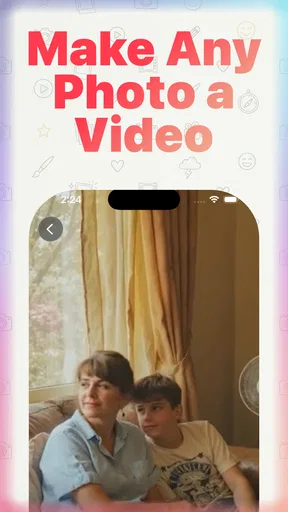
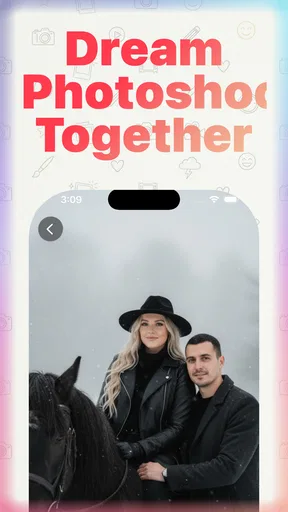
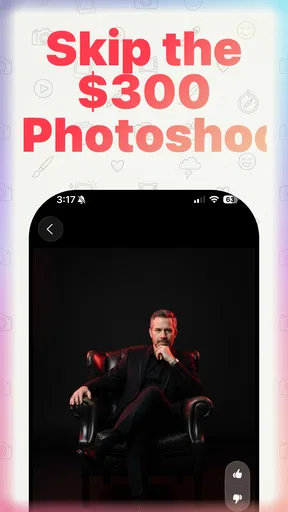
Our Review of Picora: Cartoon Photo Editor
 Analysis by Appyee
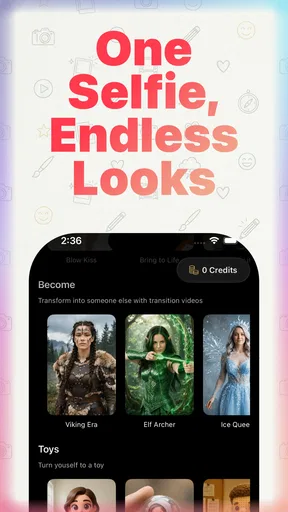
I tried Picora as a photography app for turning ordinary pictures into more playful visual creations, and my first impression was that it aims at people who want a quick transformation rather than a full editing workstation. Its focus is easy to understand: AI video effects, caricature-style images, animation, and portraits in one mobile package. That combination makes it more interesting than a basic filter app, although it also means the experience depends heavily on how well each creative effect matches the photo you choose.
Picora is made by Gorba Apps and is available free of charge, with optional in-app purchases ranging from $4.99 to $79.99 per item. It carries a Teen content rating, runs on Android 8.0 and later, and currently appears as version 3.7.0. The app was released on February 17, 2026, so I see it as a relatively new product still finding its shape rather than a long-established editor with years of refinement behind it.
How Picora feels in everyday use
The strongest part of the concept is the short distance between choosing a picture and getting something shareable. Instead of asking me to understand layers, masks, curves, or manual retouching, Picora is built around a more direct question: what kind of visual personality should this image have? That makes it suitable for a profile picture, a funny message to a friend, a stylized portrait, or a quick social post.
I would not approach it as a replacement for a conventional photo editor. Apps in that category are better when I need precise cropping, controlled color correction, selective blur, or careful cleanup. Picora is more appealing when the goal is transformation. The result should feel noticeably different from the original, not merely a little brighter or sharper.
The app’s store rating is 4.6 from around 1.9 thousand ratings, with over 10 thousand installs. Those figures suggest that early users are responding positively, but they also describe a smaller and newer audience than the major names in mobile photography. I would treat that as encouraging momentum, not proof that every effect works consistently on every phone or every type of portrait.
Choosing the right source image
One practical lesson is that the original photo matters more than it might seem. A clear, front-facing portrait with good separation from the background gives an AI effect much more useful material than a dark group shot or a face partly hidden by sunglasses. When I want a caricature or portrait result, I would start with one subject, a reasonably visible face, and enough space around the head for the transformation to look intentional.
This is also where Picora differs from a normal filter collection. A traditional filter can often rescue a mediocre photograph because it changes color and contrast in predictable ways. A generative or stylized effect has to interpret the subject. If the source is confusing, the final image may preserve the wrong details, exaggerate an unflattering feature, or lose the person’s recognizable expression.
For better results, I would prepare several candidate photos before committing to an effect. The most attractive original is not always the best input. A relaxed expression, even lighting, and a simple background can produce a more convincing cartoon portrait than a technically sharper image with harsh shadows.
Caricatures are best used with a clear purpose
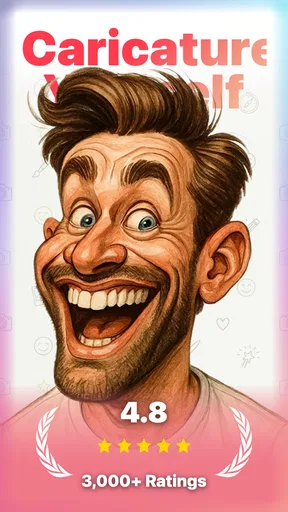
The caricature side is likely to appeal most to people who want humor rather than realism. I can imagine using it for a birthday message, a playful avatar, or a small group of personalized images. The important trade-off is that caricature editing works by exaggerating identity. That can be charming when the subject is in on the joke, but it is less appropriate when I need a professional headshot or a faithful record of someone’s appearance.
I would also avoid judging the app from a single attempt. Stylized transformations are inherently sensitive to the input, so trying a different crop or a second portrait can be more productive than repeatedly applying the same effect to a weak source. This is one of the app’s less obvious workflow lessons: the creative control often begins before the effect is selected.
Portrait work and animation serve different needs
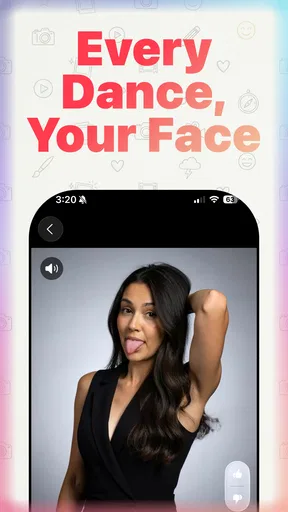
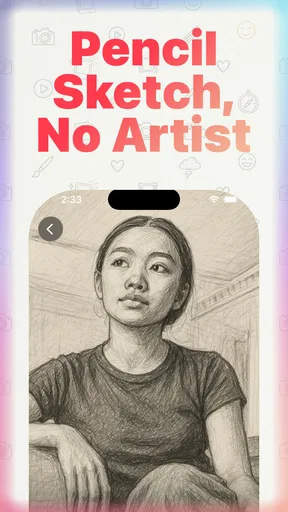
The portrait tools make more sense when I want a polished, character-focused image. Animation and AI video are aimed at a different outcome: giving a still image a sense of movement or turning a static idea into something more dynamic. That makes Picora broader than a simple cartoon camera, but it also creates a reason to keep expectations realistic. A stylized still image and an animated result are not judged by the same standards.
For a portrait, I care about whether the face remains recognizable and whether the style looks deliberate. For animation, I care more about whether the motion feels natural and whether the result is usable in the context where I plan to share it. A still image can hide small inconsistencies; movement tends to reveal them. I would therefore test an animation on a low-stakes image first instead of beginning with a picture I consider especially important.
This separation is useful when deciding whether Picora is right for you. If you only want gentle portrait retouching, its more imaginative features may feel unnecessary. If you enjoy experimenting with character-like images and short visual clips, the combination is more compelling than a standard selfie editor.
A sensible workflow for saving time
My preferred approach would be to work in stages. First, I would make a small folder of source photos with different expressions and backgrounds. Next, I would try the same creative direction on two or three images rather than changing several settings at once. Finally, I would compare the outputs at normal viewing size, not only zoomed in on tiny facial details.
That method helps separate a weak source photo from a weak effect. It also prevents a common mistake with AI-style editing: spending too long trying to force one image to work when another photograph would produce a stronger result immediately. Picora is most enjoyable when I treat it as a visual experiment, not as a repair tool for every imperfect picture in my gallery.
What the current version means for different users
Version 3.7.0 gives the app a concrete current point of reference, which matters because creative apps can change quickly. I would expect the present experience to be more useful to someone who enjoys trying several styles than to someone looking for a fixed, traditional editing routine. The app’s identity is built around transformation, so variety is part of its value.
At the same time, a version number does not tell me that every feature is equally mature. Picora’s recent release date and relatively modest install base suggest that I should evaluate it as an evolving product. That is not automatically a weakness. Newer apps can feel more focused and less burdened by old interfaces, but they may also have rough edges that established editors have already solved.
For existing users, the practical benefit of staying current is likely tied to the app’s creative direction. When an editor is centered on AI effects, the experience can depend on how those effects are tuned and presented over time. I would keep the app updated through the normal platform process, but I would also save favorite results outside the app rather than assuming every creative workflow will remain unchanged forever.
The free entry point is helpful for testing the idea before spending money. I can see the appeal of trying Picora with a few personal photos and deciding whether its style matches my taste. The purchase range deserves attention, though, because “free” does not mean every part of the experience will necessarily feel equally open. Before paying for anything, I would check exactly what the selected item unlocks and whether it suits the way I actually plan to use the app.
This is especially important for casual users. Someone who wants one amusing portrait may find the free experience sufficient, while a person creating a regular stream of animated posts may consider paid access differently. I would not buy a higher-priced item simply because an effect looks impressive in a preview. The right test is whether I can produce several results I genuinely want to keep and share.
Where Picora is stronger than usual alternatives
Compared with a standard camera app, Picora offers a more expressive result with less manual work. Compared with a conventional retouching editor, it is better suited to changing the character of an image rather than correcting small flaws. Compared with a single-purpose cartoon app, its mix of caricature, animation, AI video, and portraits gives me more reasons to keep it installed.
That breadth is useful when I am creating for different situations. A portrait effect may suit a profile image, a caricature may work for a private joke, and an animated treatment may be more engaging in a short social update. I do not need to switch between several narrowly focused apps just to explore those directions.
The compromise is control. A specialist editor can be preferable when I need predictable output, repeatable adjustments, or a carefully managed visual identity. Picora’s appeal comes from creative interpretation, and interpretation introduces variation. If consistency matters more than surprise, I would choose the more traditional tool.
Who should skip it
I would skip Picora if my main goal is professional photo correction, detailed compositing, or exact branding work. It is also not the obvious choice for someone who dislikes stylized portraits or wants every facial feature left untouched. The app’s central attraction is its ability to reinterpret a photo, so users seeking a natural result may find the experience too playful.
I would be cautious about using it for sensitive images or pictures of other people without their permission. A caricature or animated transformation can be fun, but not everyone wants their face altered and shared. That is a social consideration rather than a technical limitation, yet it matters more with creative AI tools because the result can look very different from the original.
It may also disappoint users who expect instant perfection from every image. The best results require some selection and judgment from me. Picora reduces editing effort, but it does not remove the need to choose a suitable photo, review the output, and decide whether the transformation actually looks good.
Questions I would ask before installing
Will it work on an older phone? The minimum requirement is Android 8.0, so it is accessible to a broad range of Android devices. Even so, creative processing can feel different depending on hardware, storage, and the complexity of the selected effect. I would keep enough free space available for exported media and avoid judging performance from a single quick preview.
Is it genuinely free? The app can be installed without an upfront price, but it also offers in-app purchases from $4.99 to $79.99 per item. I would use the free portion as a trial and read each purchase screen carefully. That is the safest way to understand whether the app fits occasional use or a more serious creative routine.
Is it suitable for children? Its content rating is Teen, so I would not treat it as a child-focused photo toy. A teenager may enjoy the creative tools, but families should still consider how edited portraits and animated images will be shared. The rating is a useful reminder that the app is designed for a more mature audience than a simple sticker camera.
Does it replace a social media editor? Not completely. Picora can create the distinctive image or clip that becomes the centerpiece of a post, but I would still use the destination platform or another editor for final cropping, captions, layout, or scheduling. Its role is best understood as the creative transformation stage, not the entire publishing workflow.
What I would watch as the app develops
Because Picora is still relatively new, I would watch how consistently its effects perform across different faces, lighting conditions, and image types. I would also pay attention to whether the app becomes easier to navigate as more creative options are added. A growing toolset is valuable only if I can still find the right effect without feeling lost.
I would like to see the product maintain a clear distinction between playful experimentation and dependable editing. Those are both worthwhile, but they need different expectations. If future updates preserve the quick creative workflow while improving consistency and making paid choices easier to understand, the app could become a stronger everyday companion for casual creators.
For now, I see Picora as a promising photography app for people who want their pictures to look transformed, animated, or intentionally exaggerated. Its free starting point makes it easy to test, and its current 4.6 average shows that early reception is positive. My own recommendation comes with a condition: choose it for creative reinterpretation, not precision retouching.
My bottom line: Picora is worth trying if you enjoy turning ordinary portraits into expressive visual experiments. Start with a few well-lit photos, compare results instead of forcing one image to work, and treat purchases as optional until the free experience proves useful. If that workflow sounds fun, Gorba Apps’ editor has a clear personality. If you need predictable professional control, a traditional photography editor will still be the better fit.
Verdict
Strengths of Picora: Cartoon Photo Editor
- Fun cartoon filters create playful profile pictures and social media posts.
- Simple interface makes basic edits accessible to beginners.
- Offers multiple artistic styles beyond standard cartoon effects.
- Preview changes quickly before saving the finished image.
- Useful for transforming ordinary selfies into creative artwork.
Limitations of Picora: Cartoon Photo Editor
- Some effects may look artificial or reduce facial detail.
- The best filters and editing tools may require a subscription.
- Processing can take longer when applying detailed effects.
- Results depend heavily on lighting and image quality.
- Privacy terms should be checked before uploading personal photos.
Similar Picks in This Category
View All
Google Photos
Google LLC4.4

Gallery
Google LLC4.2

Picsart AI Photo Editor, Video
PicsArt, Inc.3.9

B612 AI Photo&Video Editor
SNOW Corporation4.1

BeautyPlus-Selfie Photo Editor
PIXOCIAL TECHNOLOGY (SINGAPORE) PTE. LTD.4.5

Remini - AI Photo Enhancer
Bending Spoons4.1
Frequently Asked Questions
What is Picora: Cartoon Photo Editor used for?
Picora: Cartoon Photo Editor is designed to transform ordinary photos into cartoon-style and artistic images. After selecting a picture from your gallery or taking a new one, you can apply illustrated effects, creative filters, and visual adjustments to create profile pictures, social media posts, avatars, or fun edits. The app is mainly focused on quick, casual photo customization rather than professional image editing.
Does Picora work with photos from my gallery and the camera?
Yes, Picora generally allows you to choose an existing image from your device or capture a new photo using the camera, depending on the permissions you grant. For the best results, use a well-lit portrait with a clearly visible face and limited background clutter. Image quality can affect the final cartoon effect, so blurry, dark, or heavily cropped photos may produce less accurate results.
Is Picora: Cartoon Photo Editor free to download and use?
Picora can typically be downloaded at no initial cost, but free access may include advertisements, limited effects, or restrictions on certain editing tools. Some features may require in-app purchases or a subscription, depending on the version available in your region. Before confirming a purchase, carefully review the pricing, billing frequency, trial terms, and cancellation conditions shown in the app store.
Can edited images be saved and shared from Picora?
After applying a cartoon effect or making other adjustments, Picora is intended to let you save the finished image to your device and share it through supported apps such as social networks, messaging services, or email. Export options and image quality may vary according to the selected feature or account plan. You should also check whether a watermark is added to images created with free tools.
What permissions and privacy considerations should I know about before using Picora?
Picora may request access to photos, camera functions, and storage or media files so you can import pictures, take new images, and save edited results. Grant only the permissions required for the features you plan to use, and review the app’s privacy policy before uploading personal photos. Avoid processing sensitive images unless you understand how the service handles, stores, and deletes your content.
